Better secure your social media accounts – LinkedIn
We’ve probably all read horror stories of when people have lost access to their social media accounts, but what can be done to help secure them? One thing we highly recommend is to add a second verification step, this will help to prevent them from being potentially compromised by bad actors. (Nope, nothing to do with Nicolas Cage, more people who want to use your accounts for their own gain!)
So, to better secure your LinkedIn account, follow the instructions below.
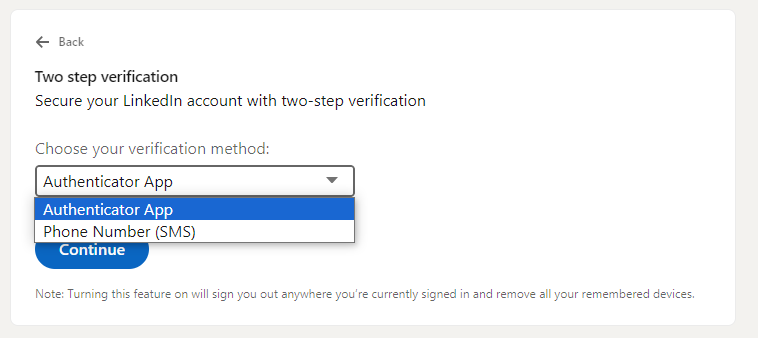
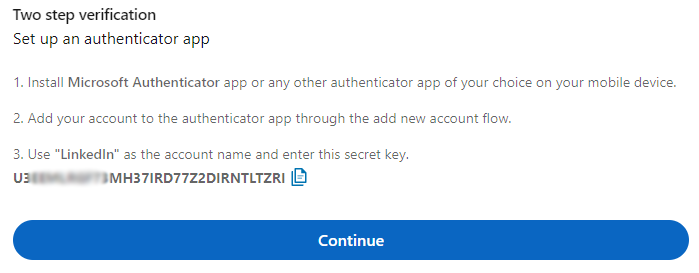
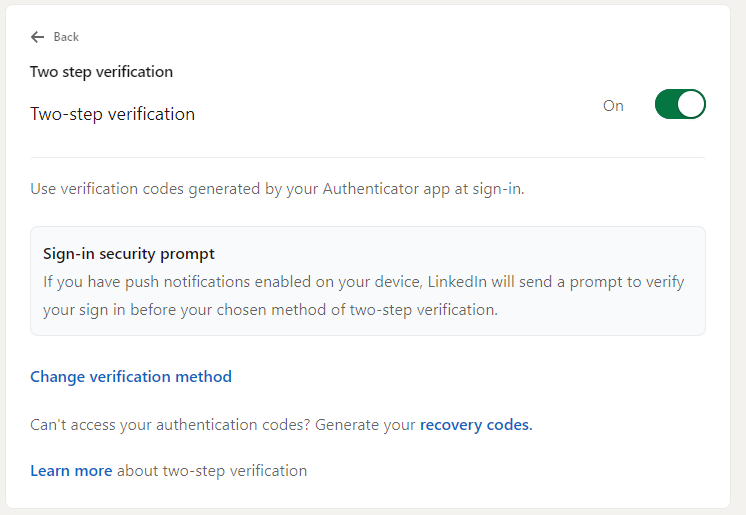
Most of the processes below will show you how to set-up two-factor or multi-factor authentication using an authentication app. An authentication app, such as Microsoft Authenticator, is a software-based service that uses time-based one-time passwords to authenticate you with a different service. Other methods of authentication include one-time codes texted to your mobile phone or sent via email.
To download the Microsoft Authenticator, click on the relevant link below and follow the instructions.
If you would prefer to use your own authenticator app, such as Google Authenticator, please do so and then adjust the steps accordingly. The instructions are also based on completing the steps via a web browser on a PC/laptop/mac etc.
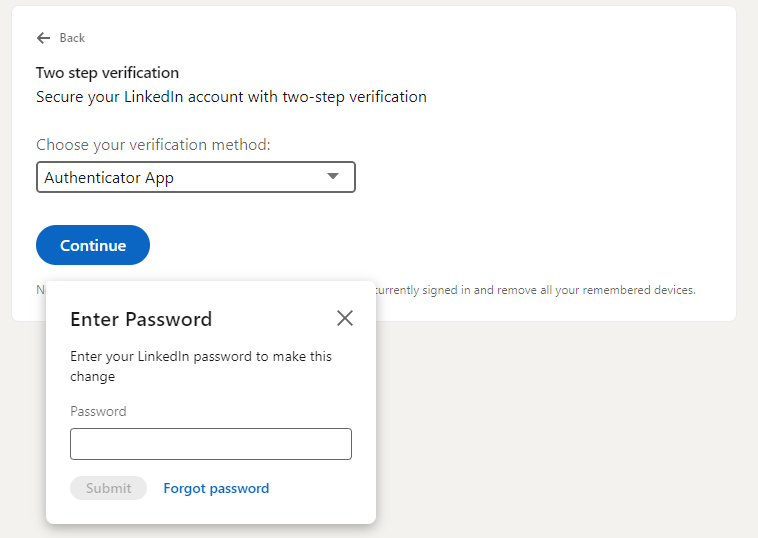
You can add multi-factor authentication to your LinkedIn account quite simply, by following the steps below. Firstly, you will need to make sure you are logged into LinkedIn. Something to consider here is how strong is your current LinkedIn password? Are you using the same password on other sites? If yes, might be worth changing it at this point before moving on to the next steps.
Okay, once you are logged in, towards the top right of the screen you should see a small icon of your LinkedIn profile picture
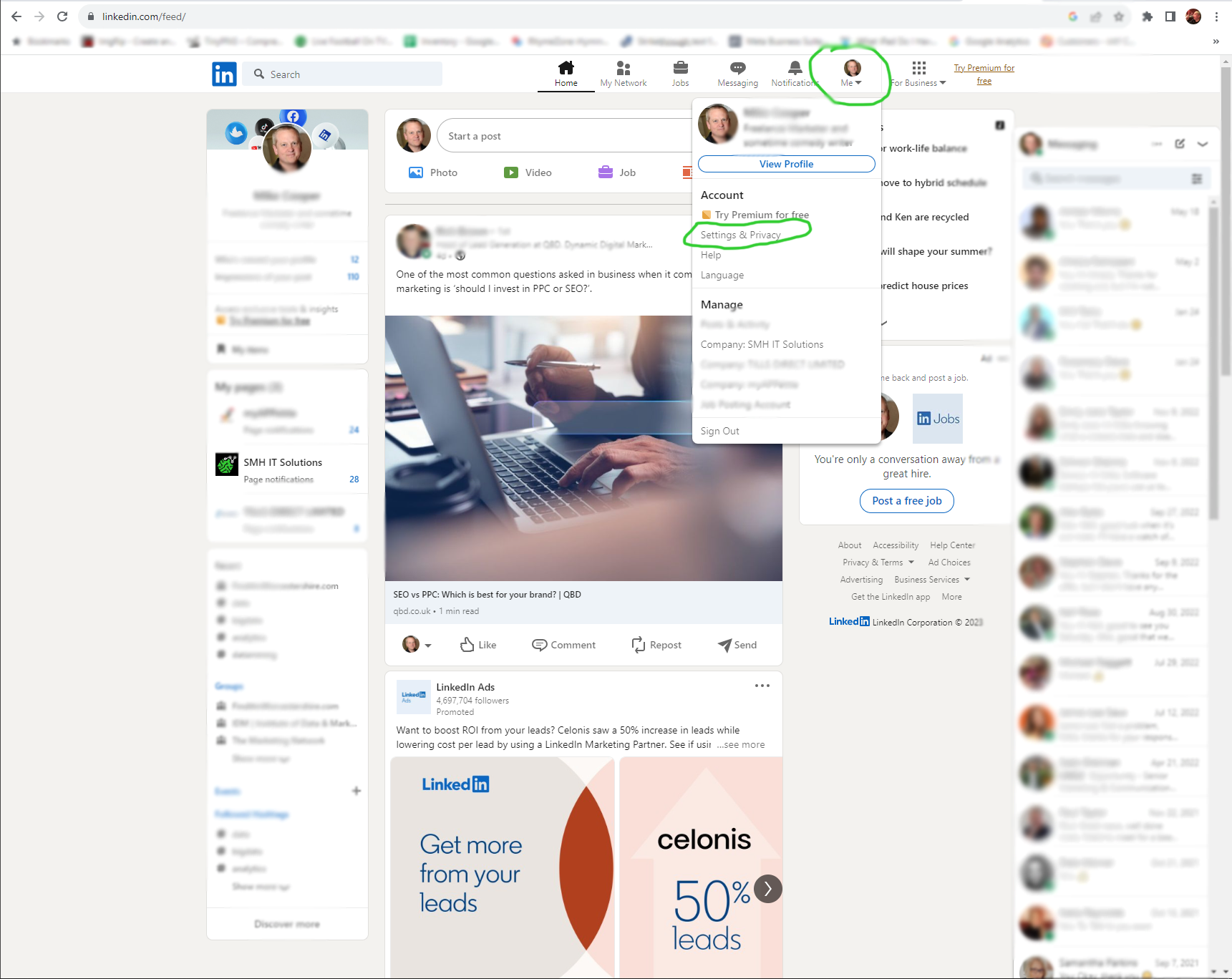
Click this and then click on ‘Settings & Privacy’
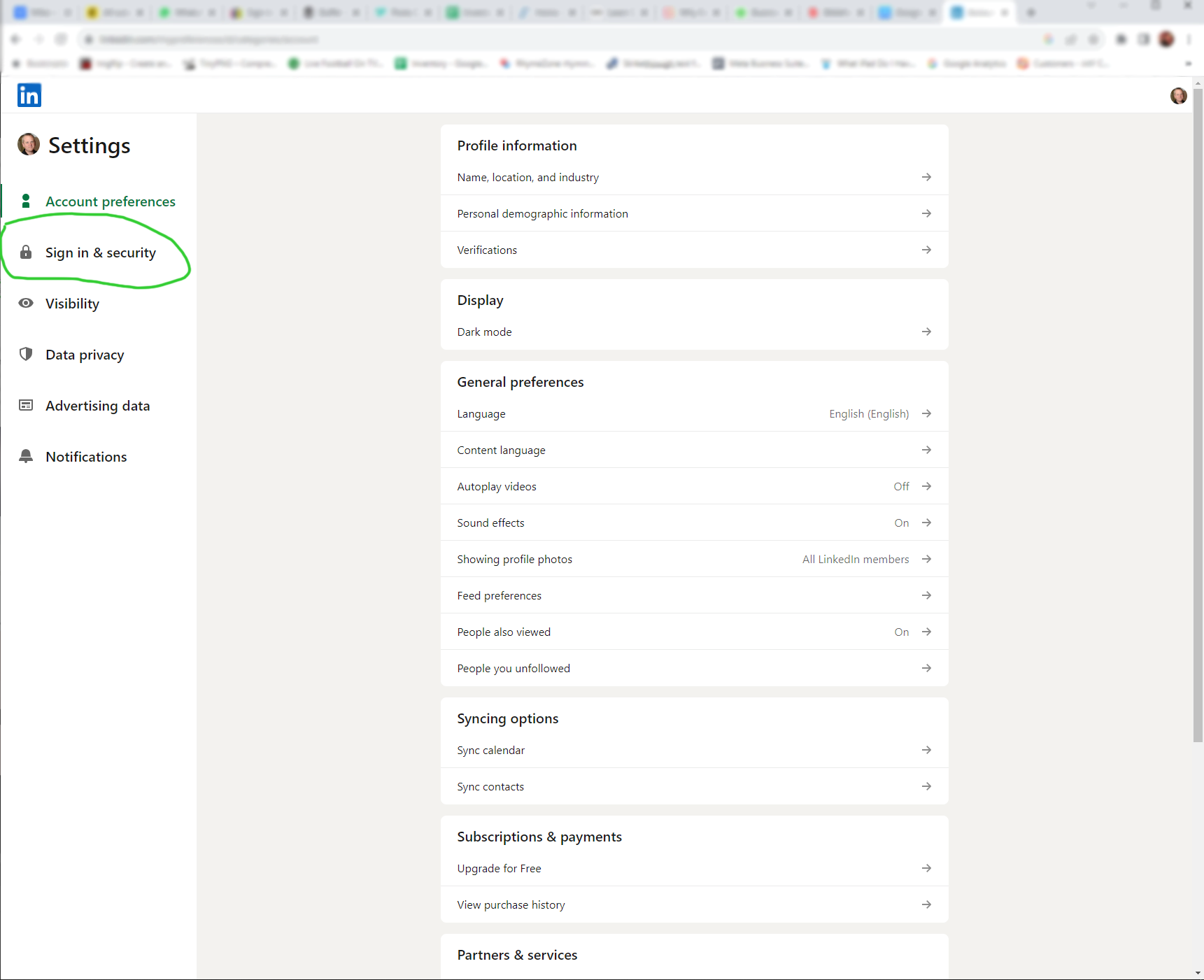
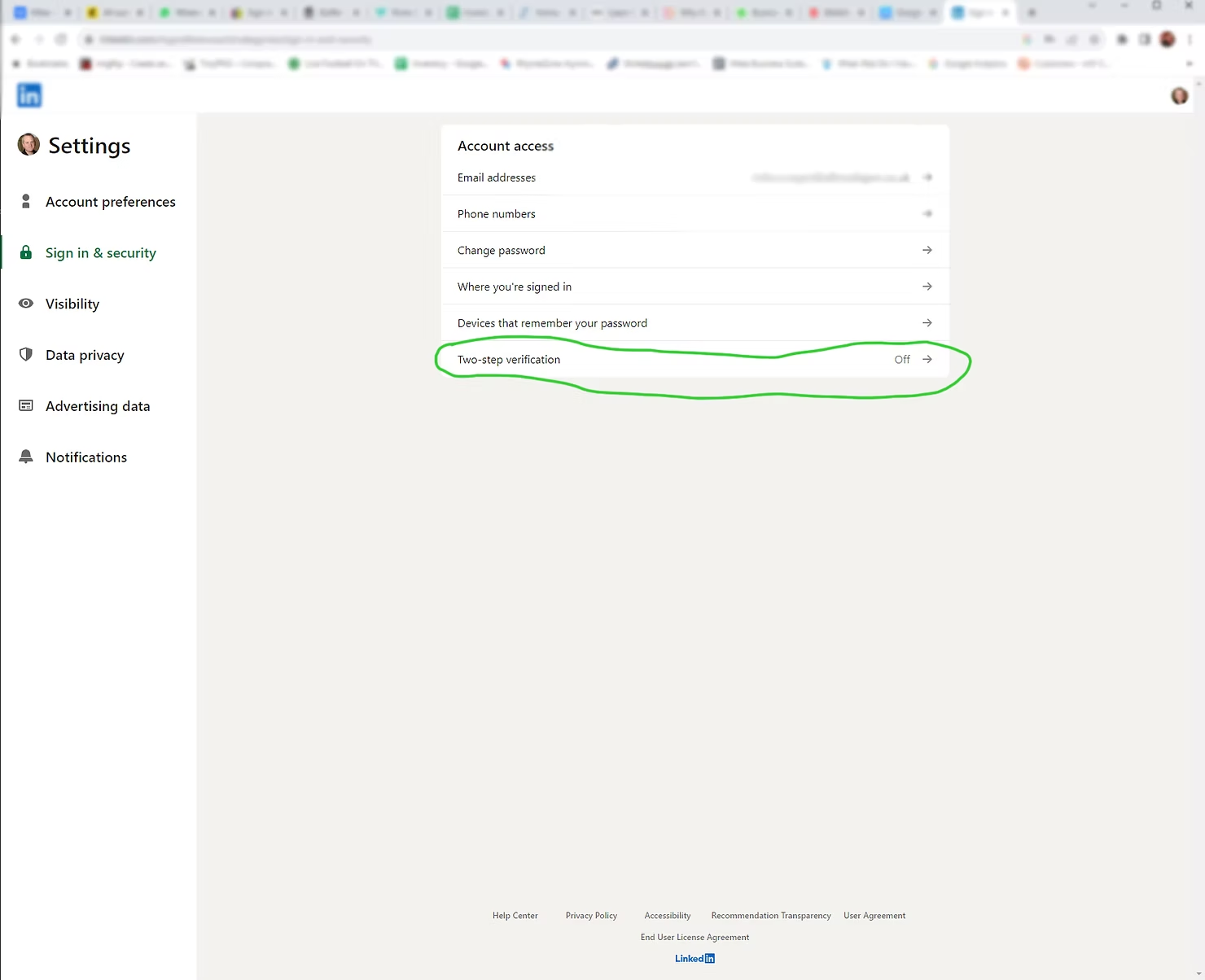
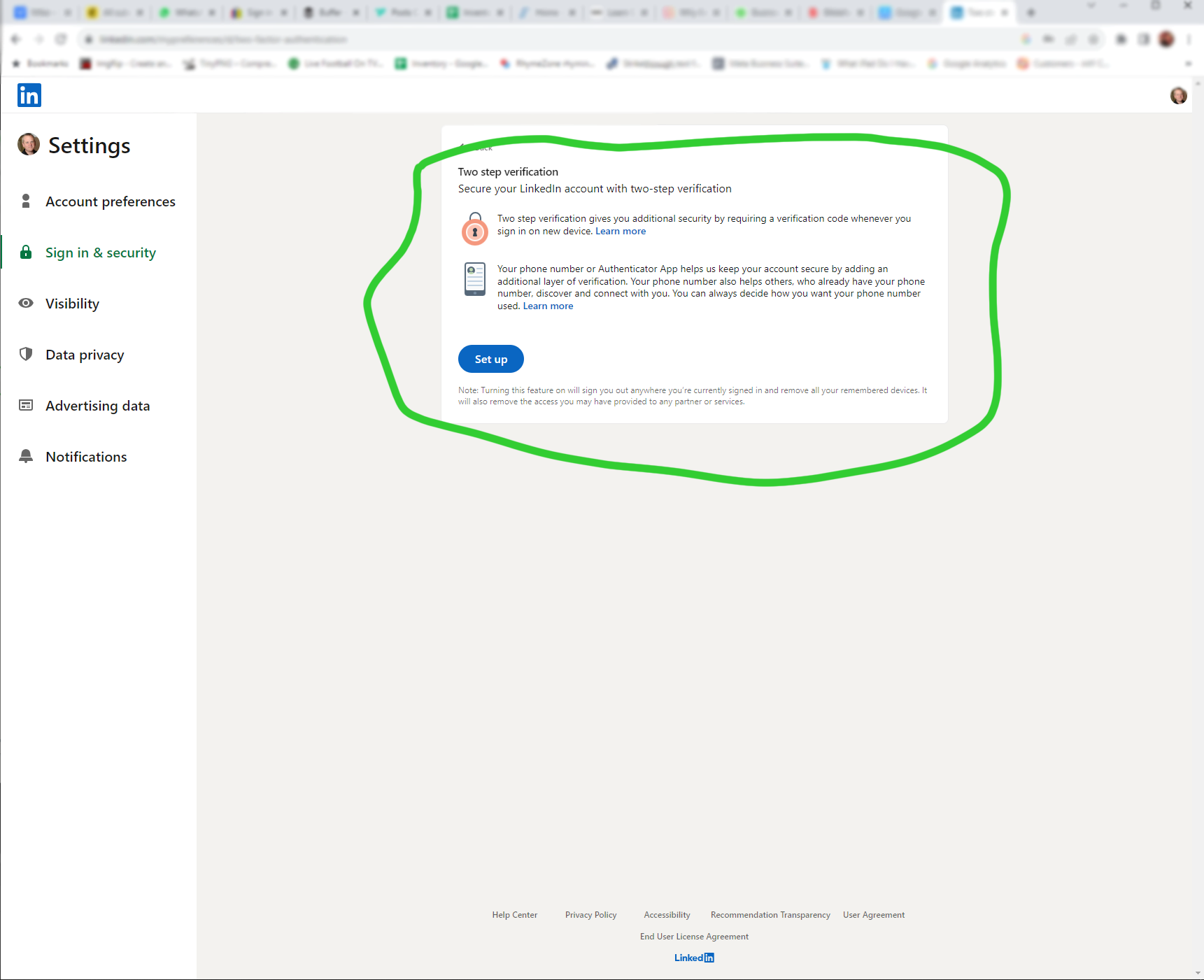
When the new screen opens, click on Sign in & security from the list on the left-hand side of the screen
Stay safe out there folks! Worried about the security of your business IT? Get in touch!
Need any of our services?
Get in touch with our team today.


Contact Us
Email: [email protected]
Support Hours
Mon - Fri: 8am to 5:30pm
(Others by arrangement)
Our Services
- IT Support
- 24/7 Monitoring
- Cybersecurity
- Data Cabling
- Consultancy
- Hardware Supply
Accredited Providers


